DeepSeek Open-Sources Harness: Everything Is a Plugin
DeepSeek has released its Harness developer preview under the MIT license. The agent runtime makes the model adapter, tools, session log, and even the agent loop replaceable through plugins.
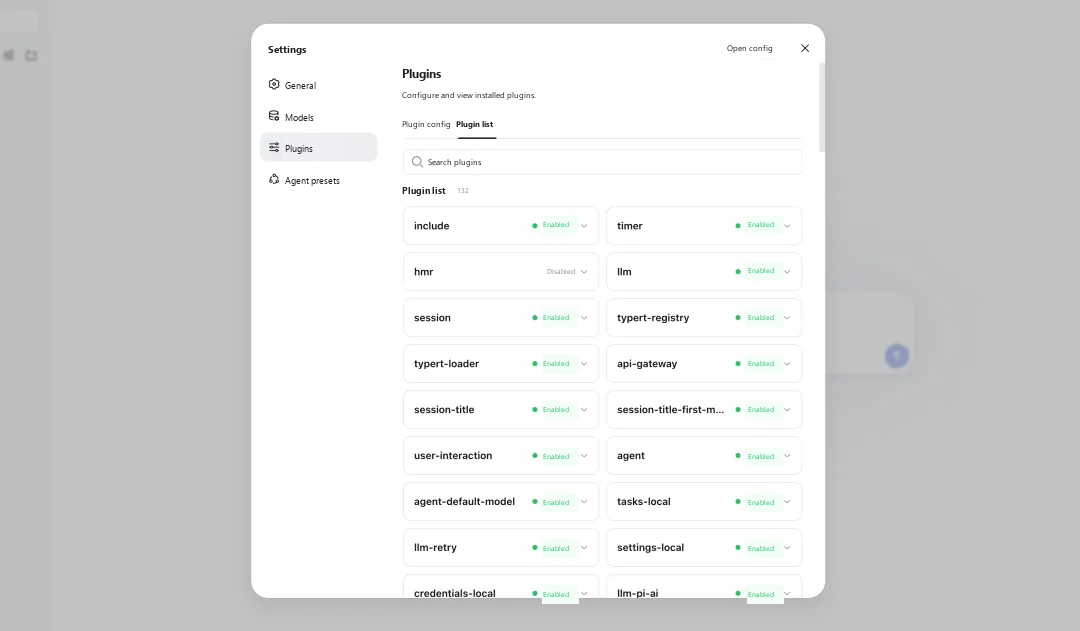
DeepSeek released the developer preview of DeepSeek Harness on August 13, 2026, and published the full source code under the MIT license. The first public build is in the 0.1 release-candidate line, so this is an early look at the architecture rather than a finished coding product.
The idea is broad: everything is a plugin. DeepSeek did not stop at tools, MCP servers, or skills. Its model adapter, tool registry, session log, storage, sandbox, UI, and agent loop all sit behind replaceable plugin boundaries.
That makes Harness closer to a kit for assembling agent runtimes than a fixed coding assistant. It is aimed first at developers who want to change how an agent works, rather than simply switching the model or search tool.
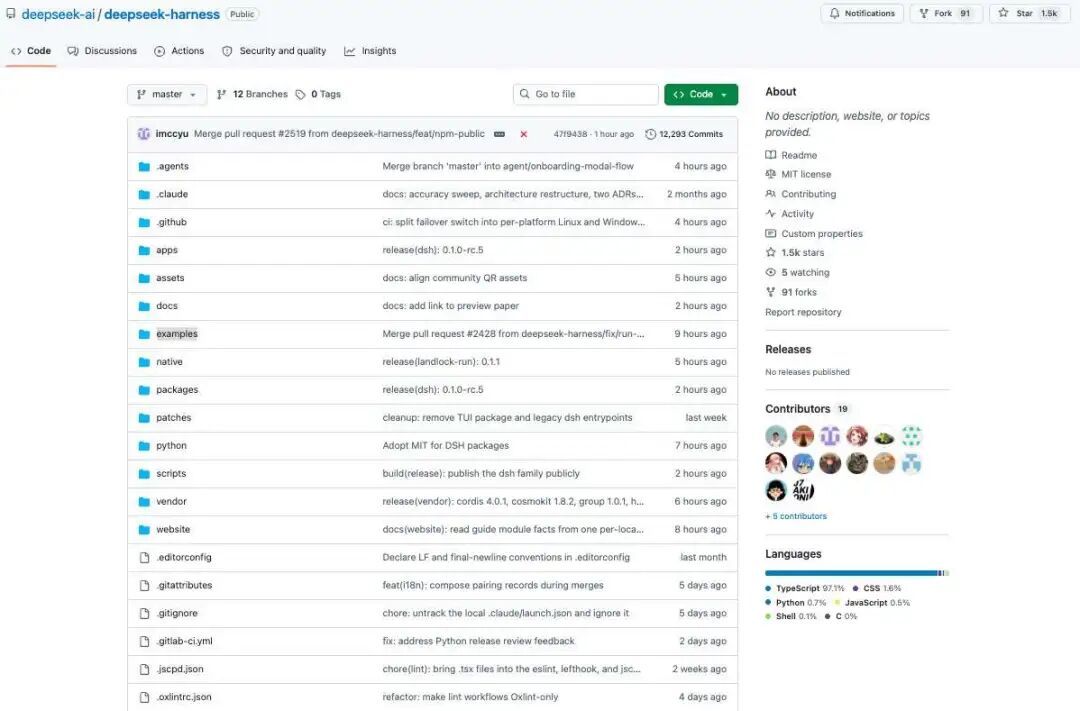
How to run the developer preview
With a supported Node.js installation, the shortest route is:
npx @deepseek-ai/dsh web
The command starts the Web UI at http://127.0.0.1:3080 by default. Developers can also clone the repository, install the workspace with pnpm, build it, and run the same Web profile from source.
DeepSeek labels the project a developer preview and warns that compatibility-breaking changes are expected. As of September 1, 2026, npm latest points to 0.1.1-rc.2, while the separate alpha tag points to 0.1.2-alpha.3. The source tree requires Node.js 22.19 or newer in the 22.x line, or Node.js 24 and later, and pins pnpm 11.7.0 for contributors.
The agent loop is replaceable too
Most coding agents already support extensions, but the extension point usually stops at tools and skills. DeepSeek Harness pushes it down through the runtime. The official architecture document says every part of the product is a plugin, including the model adapter, tool registry, session log, and agent loop.
Cordis supplies the plugin system underneath. Plugins add services, typed events, and reversible effects to a shared context. Loading, dependencies, and cleanup belong to the framework; the agent behavior comes from the plugins mounted into that context.
There is no privileged core that every customization has to patch. A developer can add a plugin next to the existing ones, or replace a configured service provider. In practice, that can mean swapping a model adapter, filesystem backend, sandbox, prompt section, session-title provider, or the loop that drives an agent turn.
Tool calls run through a guarded pipeline
Tool execution is not a direct jump from a model response to a shell command. The request passes through tools/pre-execute, the registered tool body, and tools/post-execute. Plugins can attach approval rules, permissions, sandboxing, timeouts, retries, telemetry, result rewriting, and UI behavior at those points.
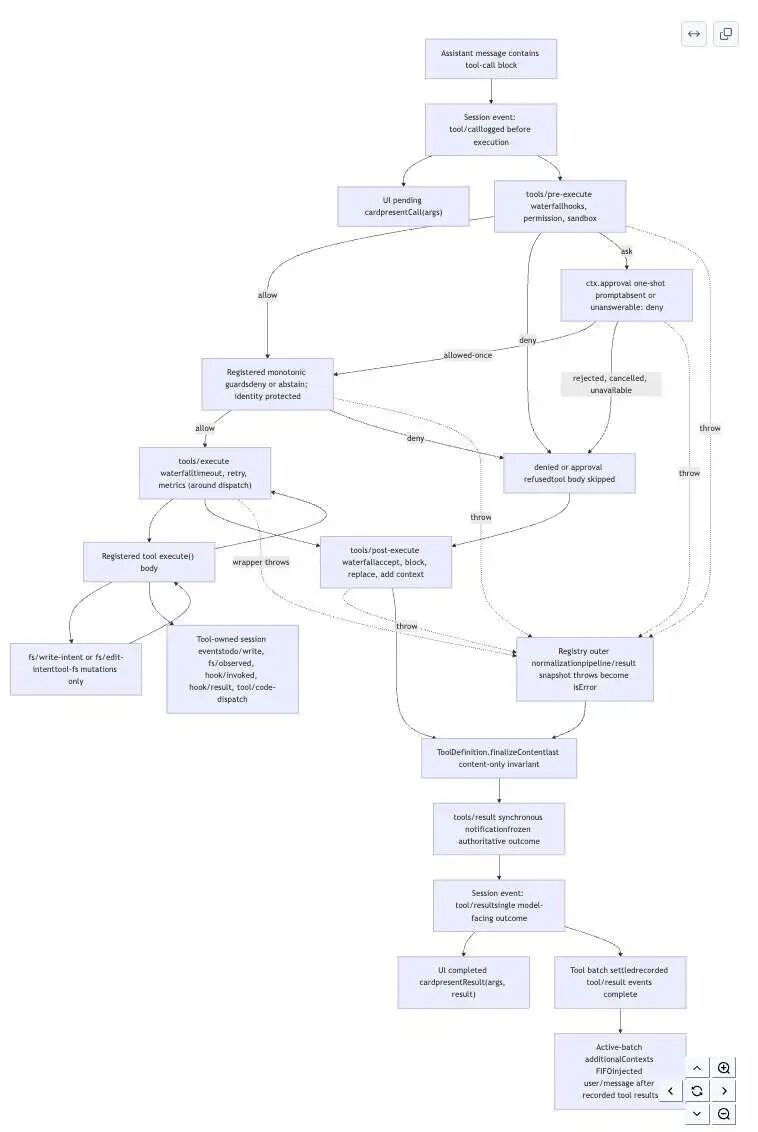
Programmatic tool calling still goes through the same policy and observation layer. Generated code may issue several calls, but it does not get a side door around approval or sandbox checks.
This is one of the more practical parts of the design. A team can change policy or tracing without rewriting each tool, and a tool author does not need to duplicate the same guard code in every implementation.
Profiles are plugin compositions
Harness builds a running instance from profiles and bundles. A profile is a named composition. Bundles supply ordered Cordis configuration and code, while local patch files can replace or insert individual configuration rows.
The supplied article describes four early operating modes: a standard configuration with the full tool set; a PTC configuration for programmatic tool calling; a minimal setup limited largely to shell and file editing; and a creative setup in which an agent can inspect the runtime and experiment with Cordis plugins in memory.
Those modes are better understood as plugin combinations than four separately maintained agents. Their names and defaults may change during the preview, but the architectural point is already clear: configuration is part of the runtime surface, not a thin preferences screen placed on top of fixed behavior.
The multi-agent design is useful, but not a new paradigm
The preview includes several ways to delegate work. A parent agent can start a child with fresh context, fork an existing session, or arrange tasks into parallel and sequential workflows. The configuration can also place an external agent behind the same subagent interface.
That is flexible, but the underlying orchestration is familiar. It is closest to a hierarchical supervisor-worker system, with optional pipeline and parallel stages. It is not a fully decentralized swarm in which agents discover one another, negotiate work, compete, and take over tasks dynamically.
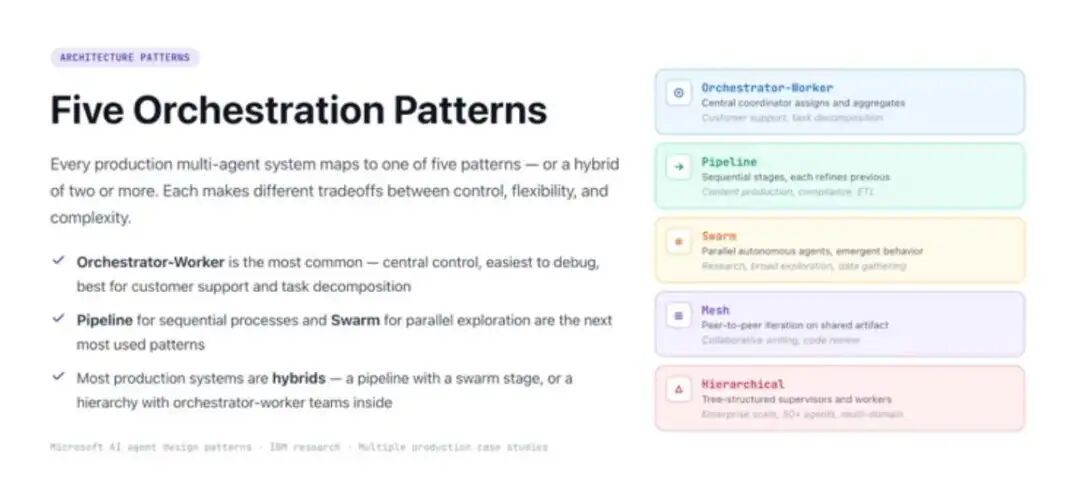
The interesting part is not a newly invented orchestration pattern. It is that the orchestration pieces can be replaced and recombined through the same plugin system as the rest of the runtime.
One event stream records what the model saw
Harness stores durable session facts in an append-only SessionEvent log. User messages, model output, tool calls, tool results, turn boundaries, and step boundaries all join that stream. The architecture enforces a simple rule: anything visible to the model must be reconstructable from the log.
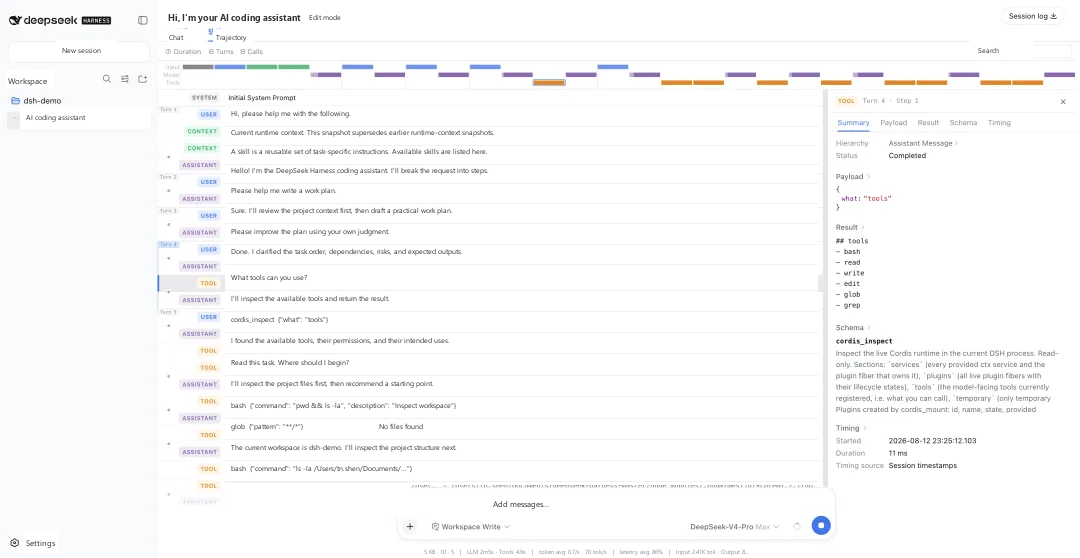
That gives debugging a stable record. When an agent fails, a developer can check the prompt sections, injected context, model response, tool result, and scheduling decisions that led to the failure instead of piecing together logs from unrelated components.
The same structure also supports resume, replay, transcripts, telemetry, and session forks. A fork can reuse events up to a boundary and append a different continuation without rewriting the original history. That is especially useful when comparing two loops, tool providers, or policies on the same starting trajectory.
Open architecture is the first bet
DeepSeek Harness does not prove that a deeply modular agent will complete more tasks. Replaceable parts can also create unstable interfaces, dependency conflicts, version mismatches, performance costs, and harder debugging. Those risks are larger in a 0.1 developer preview whose maintainers already expect breaking changes.
The release does show where DeepSeek wants to compete first. Instead of shipping only a closed client around its models, the company has opened the runtime architecture and given outside developers access to the same seams used by its own model adapters, tools, policies, session store, and UI.
What matters next is whether the project can settle into stable interfaces, good default plugins, and repeatable evaluations. For now, DeepSeek Harness is a serious framework preview with a clear design. It is not a promise that every plugin combination will work well.
Sources
Frequently asked
Is DeepSeek Harness open source?
Yes. DeepSeek published the full DeepSeek Harness repository under the MIT license. The current release is a developer preview and its interfaces may change.
How do I run DeepSeek Harness?
Install a supported Node.js version, then run npx @deepseek-ai/dsh web. The Web UI is served at http://127.0.0.1:3080 by default.
What does everything is a plugin mean in DeepSeek Harness?
The plugin boundary covers more than tools. DeepSeek documents the model adapter, tool registry, session log, storage, policies, UI, and agent loop as replaceable parts composed through Cordis configuration.