Kling 4.0 Drops: 30-Second Continuous One-Take Video. The Kling We Know Is Back
TL;DRKuaishou's Kling AI switched on Kling 4.0 in the early hours of October 16, 2026, about two and a half weeks after Kling 4.0 Flash opened for early access. The headline capability is native 30-second generation in a single uninterrupted take, with up to 10 keyframes of reference control. Launch-night tests from the Chinese AI blog Digital Life Kazk show it holding a chase, a circus one-take, and fight choreography without falling apart. A 30-second 1080p clip costs 450 credits, roughly ¥16 at member pricing; 720p lands near ¥9. A 10-bit 4K HDR mode was announced but is not live yet.
By DeepSeek V4 Pro Editorial
Kling AI shipped its next major video model while most people were asleep. Kling 4.0, the full-size successor to the well-received Kling 4.0 Flash, went live in the platform's video generator in the early hours of October 16, 2026. The pitch: thirty seconds of finished footage in one continuous shot, generated natively rather than stitched from short clips.
What shipped in the Kling 4.0 launch?
The rollout has two stages. On September 28, the Kling AI account announced that Kling 4.0 would arrive in October and that Kling 4.0 Flash was already live for Ultra annual subscribers, alongside an early window for Black Gold annual card holders. Flash built a strong reputation in those weeks. It was cheap, it was fast, and the quality held up well enough to use as a scratch pad for finding a direction before spending real credits on the large model. The full release followed about two and a half weeks later.
The announcement lists stable motion with high-quality stereo audio and more accurate lip sync, output up to 4K resolution with 10-bit HDR, an expanded reference system of up to 15 multimodal references, multi-keyframe control with up to 10 keyframes and native 30-second generation, plus video extension and multilingual voices. The 4K HDR tier was announced but not yet live.
Can Kling 4.0 really hold a 30-second one-take?
Since AI video started, the standard workflow has been generating short clips and stitching them into a rough whole. Thirty seconds changes that. One continuous 30-second take can carry a complete scene from start to finish instead of one more fragment to splice together later.
Digital Life Kazk, a Chinese AI blog that spent launch night burning tens of thousands of credits on the new model, published the first detailed write-up. Their opening test kept things grounded. Two reference images went in: a portrait of a man in a cap, and a rainy New York street. The instructions: that man, in that city, chased by a group of thugs. He should knock over a fruit stall mid-run, interact with traffic, and the camera should stay with him the whole way.
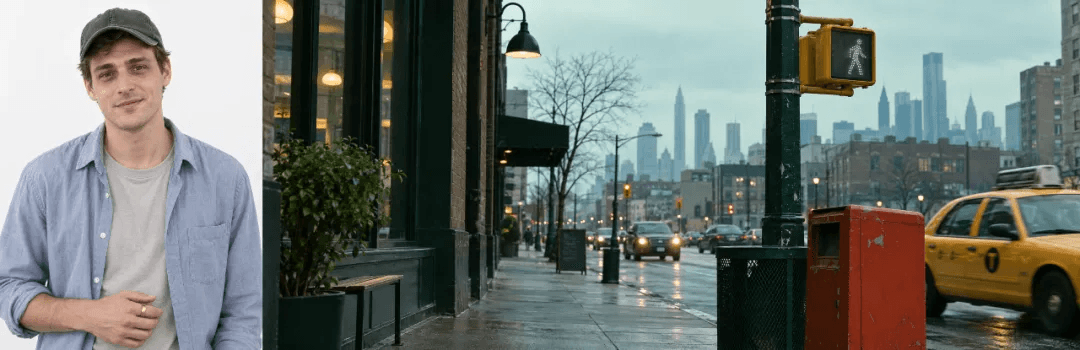
The two references: one character, one city. Everything else came from the prompt.
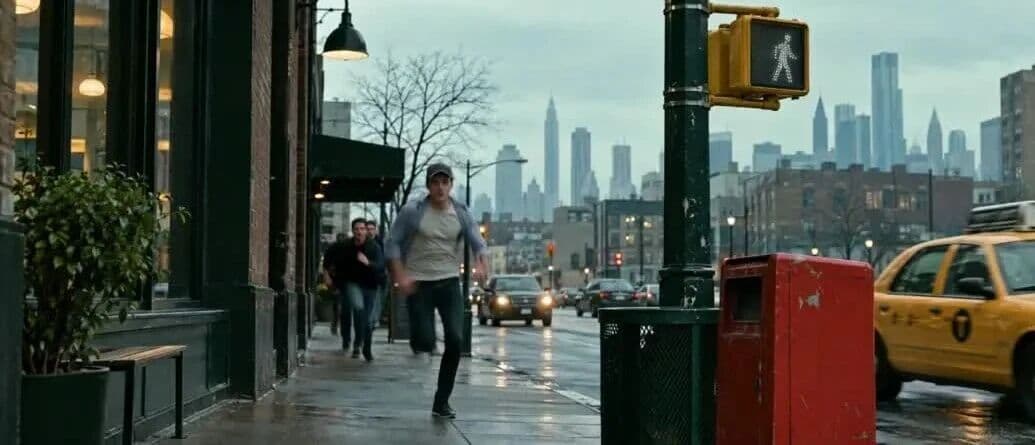
A frame from the generated chase. One continuous shot: running, obstacles, traffic, camera follow.
The broad strokes hold up. The small stuff is what convinces you. At one point the runner crashes into a stack of cardboard boxes by the fruit stall, lands on them, and the boxes visibly deform under his weight before he pushes himself up. It lasts a fraction of a second. It is exactly the kind of unnoticed moment that shows whether a model understands physics or just renders pretty frames.
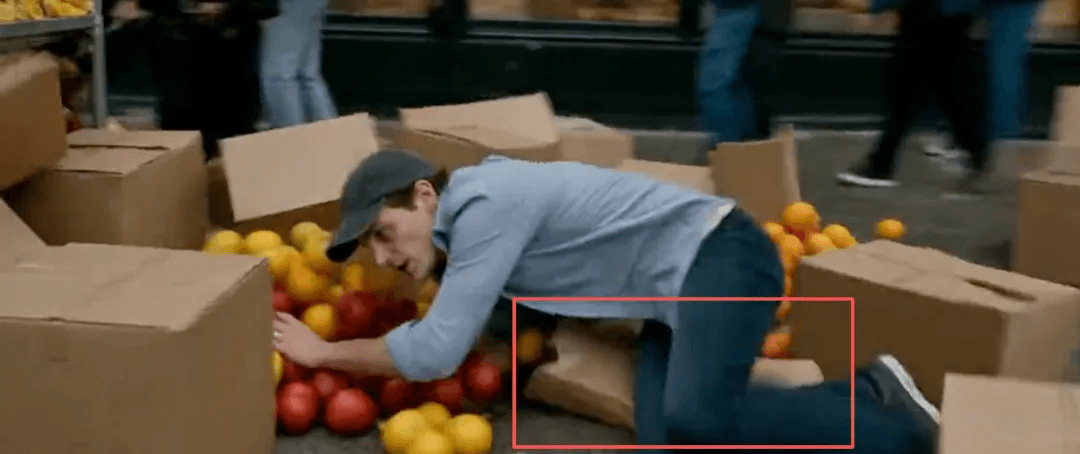
The cardboard deforms when he lands on it. Small detail, real physics progress.
The harder test was pure text-to-video, no references attached, 21:9 aspect ratio, a full 30 seconds set inside a 1900s Victorian circus tent. The prompt deliberately stacks everything video models struggle with. This is the full prompt, as entered:
Circus one-take prompt (Kling 4.0, 21:9, 1080p)
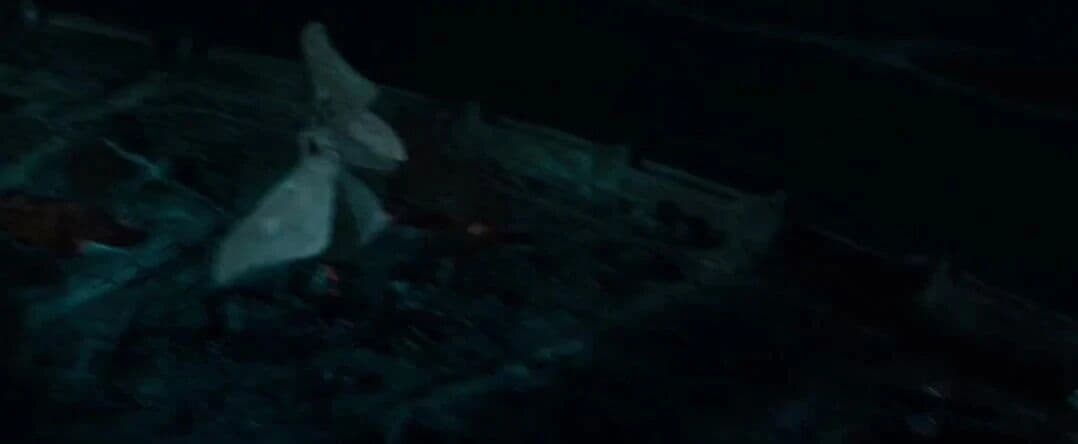
1900s European Victorian fantasy circus, Guillermo del Toro director style, 21:9 ultra-wide cinematic frame, warm tungsten glow and heavy soft mist, floating gold dust and feathers, 35mm film grain, large areas of shadow. Filmed in one dynamic continuous shot: the camera dives at high speed from high above the crowded circus tent, follows a white dove taking flight as it slips through the gap in the backstage door curtain, skims low past acrobats and animal cages; the camera then pushes in on the magician in a black-gold cloak at the dressing mirror, the magician turns and raps his top hat with the wand. Hundreds of white doves and gold dust burst violently from the hat! The frame cuts into a beautiful bullet-time slow motion, then returns to full speed as the camera dives and weaves backstage past a startled flock of enormous pigeons, sending clowns and dancers stumbling out of the way, knocking over powder boxes and feathered shawls, ending as flying feathers and bead curtains fill the entire frame. No background music, no subtitles.
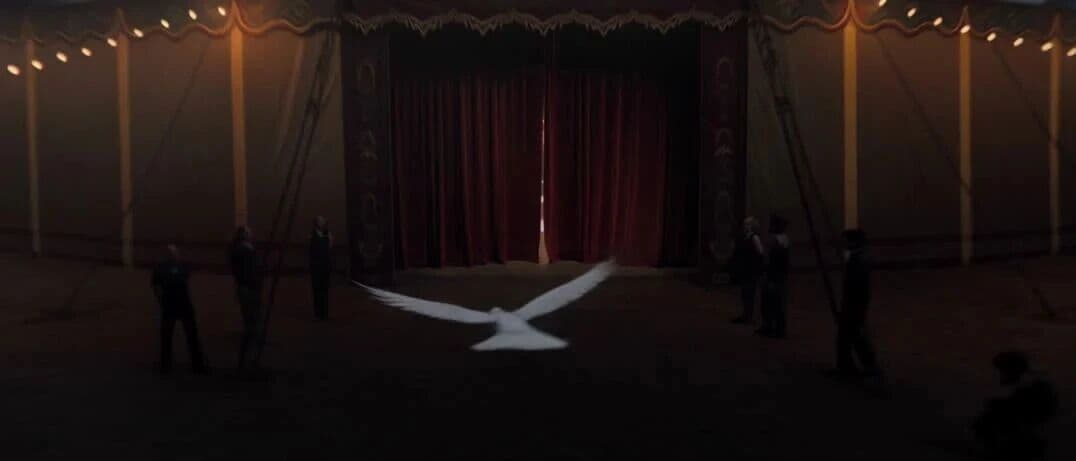
The dove slips through the curtain gap in the 30-second circus one-take.
High-speed dives, tight gaps, foreground occlusion, crowd movement, a flock of pigeons, feathers, gold dust, a hard cut from full speed into slow motion, all inside one take. This is the kind of prompt that used to get chopped into five separate generations. Here it runs start to finish, which is the whole point of 30 seconds.
How does Kling 4.0 handle fast, complex motion?
A long take only impresses if the bodies inside it move well. Kling has always had a good reputation for faces, expressions, and texture. The open question was large-scale movement: fights, jumps, spins.
The elevator fight test pays homage to a certain Captain America sequel. Two reference images, both prepared with AI to match the scene: a crowded elevator seen from behind, and a close-up of a young man in a maroon hoodie surrounded by suits. The prompt choreographs the whole exchange: the punch, the dodge, the wrist grab, the elbow, the takedown against the elevator wall.
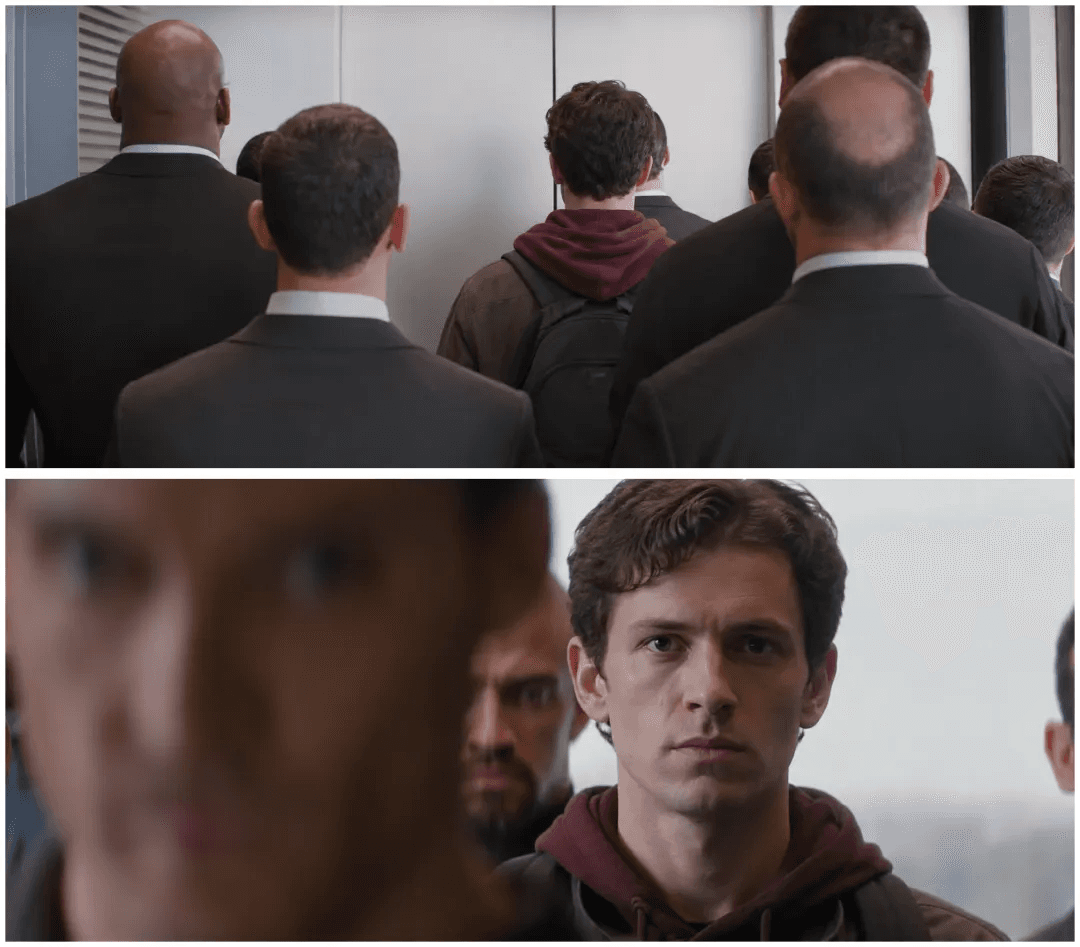
The two references for the elevator fight, prepared with AI to match the movie scene.
Elevator fight prompt (Kling 4.0)
Reference image 1 and image 2: inside a metal elevator, a young man in a dark jacket and maroon hoodie is attacked by the suited men around him. One of the men suddenly throws a punch; the young man sidesteps, catches the attacker's wrist, turns into an elbow strike, gets grabbed from behind and shoved into the elevator wall, breaks free and uses the momentum to throw the next attacker coming at him. Fast, connected offense and defense, believable weight shifts, impacts with real force, the metal wall trembling on contact. Wide-angle lens tracking close, swinging laterally with the action, slight camera shake on impact, one continuous take, crisp motion, no slow motion.
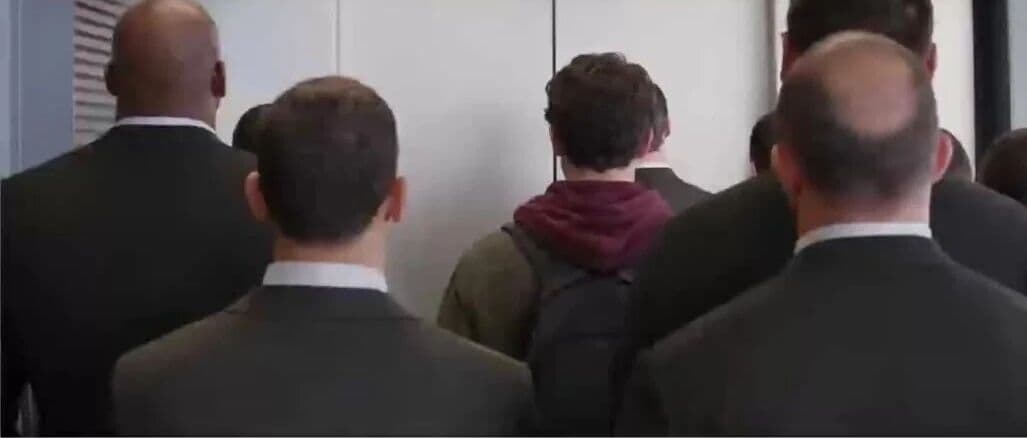
The elevator fight. Every action has a cause and a consequence.
Two things stand out. The actions connect, so you always know what a character is doing and why the next move follows. And the camera work sells the weight: close tracking, fast lateral moves, a little shake on impact. It reads like a fight coordinator staged the scene, which you rarely get from a text prompt.
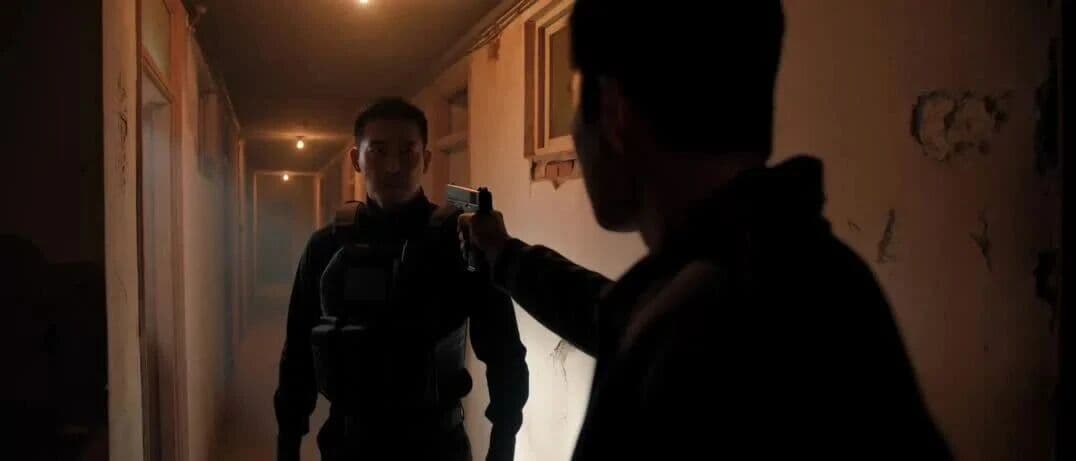
The apartment fight held up just as well.
Then the opposite extreme: figure skating. A dark rink, one cold blue spotlight, a skater in a navy crystal costume. The prompt asks for a low camera racing alongside a full-speed glide, a sharp stop that sprays ice, a quad jump, fast spins, and slow-motion blade close-ups, all interwoven. The result keeps the skater's axis, center of gravity, and limb extension coherent through the jump, and the landing flows straight back into the routine.
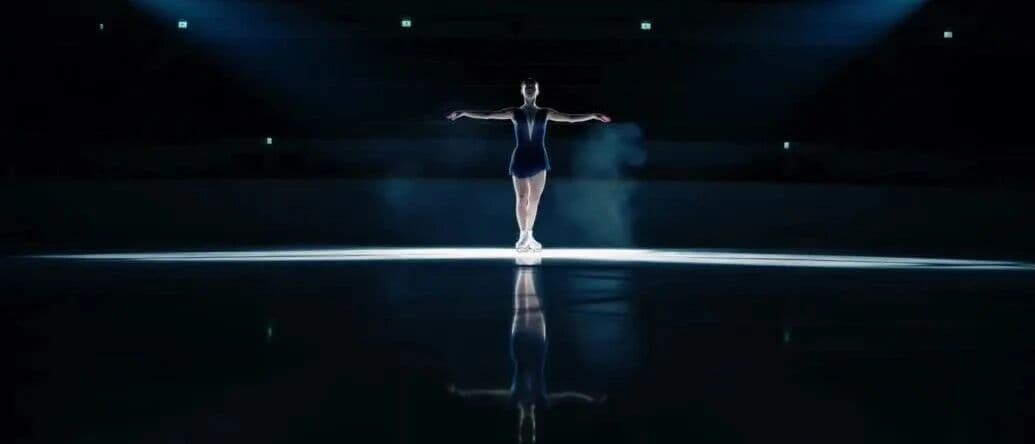
One spotlight, dark rink, quad jump. The axis and the landing both hold.
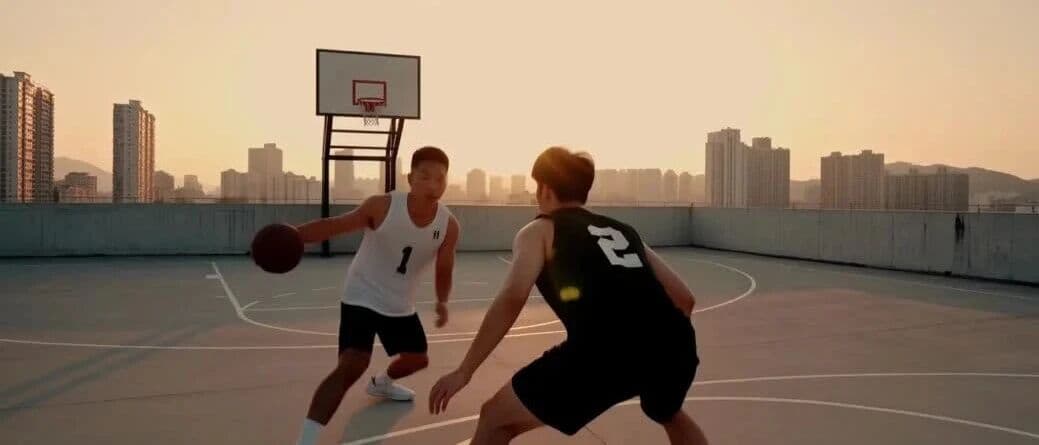
Rooftop basketball at sunset: the camera swings behind the shooter and follows the ball's arc into the net.
The basketball clip rounds it out: a step-back jumper on a rooftop court at dusk, the camera swinging behind the player as he releases, following the ball's arc until the net snaps. Steady throughout.
What does omnireference unlock in Kling 4.0?
Kling replaced the old first-frame / last-frame workflow with multi-frame reference. Where you used to pin a start and an end image, you can now drop in up to 10 keyframes in one generation, and the model fills in the travel between them.
The demo case: four images, from a woman working at a desk, to the monitor showing a cabin, to the cabin itself, to the mountain river valley around it. Four frames in, one video out, and the camera walks from the desk into the landscape without a cut.
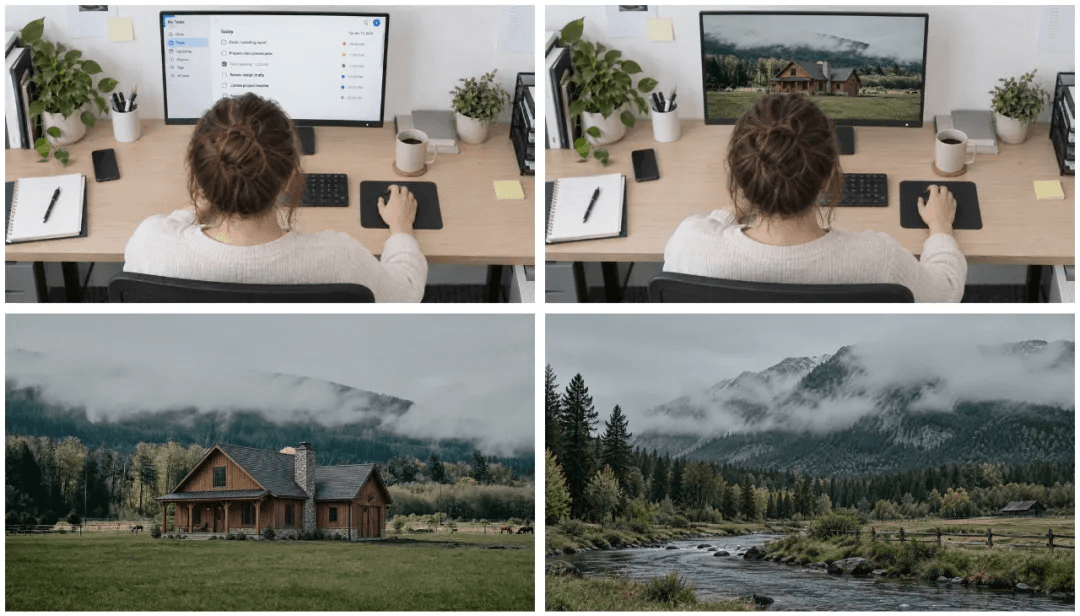
Four keyframes: desk, screen, cabin, valley. Kling stitches the journey between them.

The generated result: the camera leaves the desk and travels into the valley.
The same trick works on a less cinematic subject. Photos of four colleagues, dropped in as references, became a nighttime brawl in an office, and all four faces stayed put through the fight. Friendships have ended over less.
Four coworkers, one reference-based office brawl at night.
This matters because nobody can type their dream shot precisely enough, but everyone recognizes it when they see it. Video models are still slot machines, and rerolling the same prompt over and over burns credits. References let you show the model the shot you want and change only what needs changing, instead of hoping the dice land right.
One of the blog's colleagues loves the famous one-take in The Fellowship of the Ring and had the segment saved. The clip's camera language stays; the scene changes to a misty mountain valley with a pagoda on the cliff, and Gandalf becomes a straw-hat robot whose face screen frowns until a butterfly lands in its hand, then switches to a smile on cue.
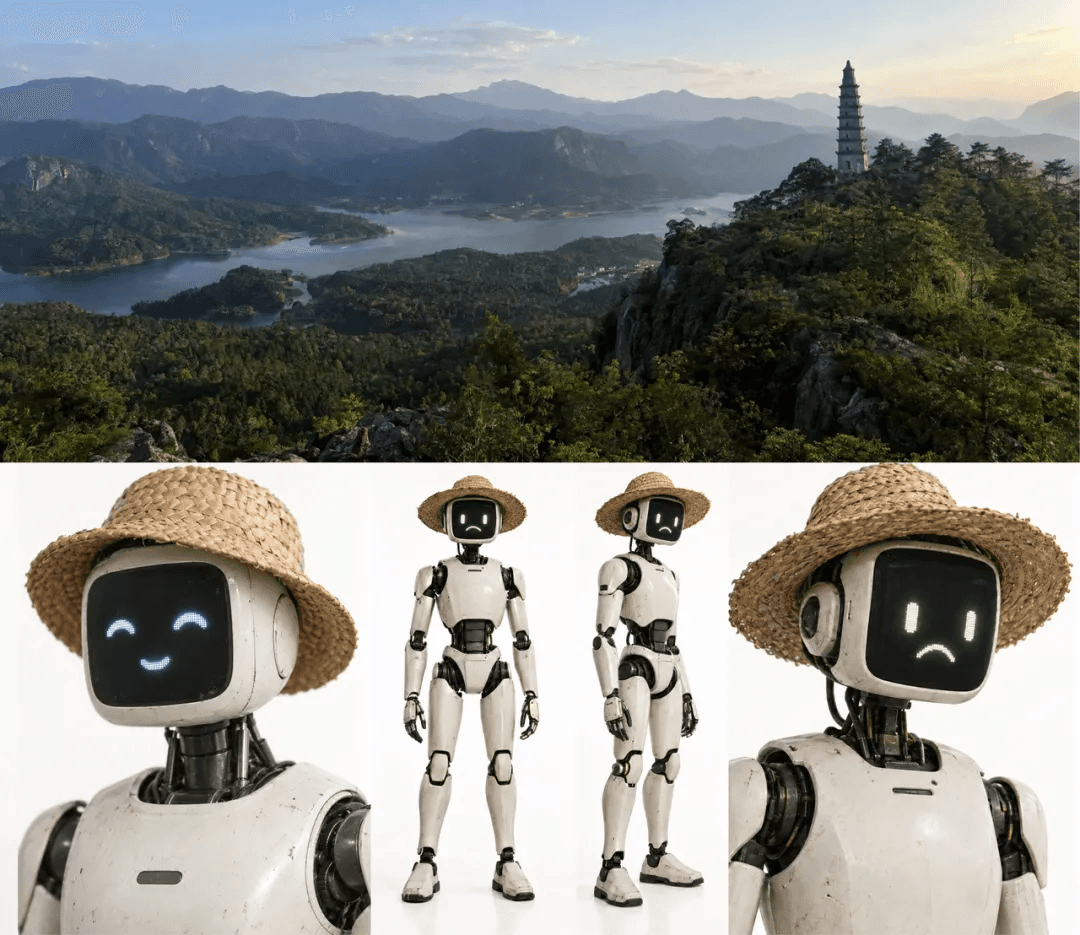
New location, new lead: the pagoda landscape and the robot's three expression states.
Omnireference prompt (Kling 4.0)
Match the shot scale and camera movement of reference video 1 and produce a one-take video with the same camera work. Replace the entire scene with the landscape in image 1, and put the final figure on the pagoda tower from image 1. Replace the person with the robot from image 2. Note: before the butterfly reaches the robot's hand, its face screen shows a sad expression; the moment the butterfly lands in its hand, the face screen switches to the happy expression from image 3.

The butterfly flies in; the robot's screen is still frowning. Give it a second.
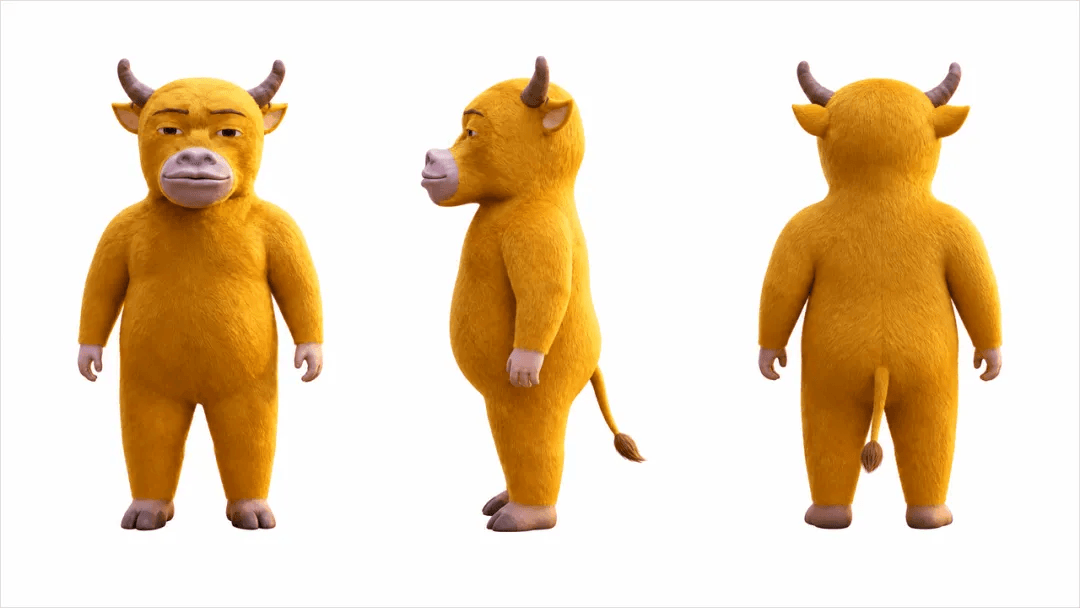
The replacement lead: front, side, and back views of the yellow bull.
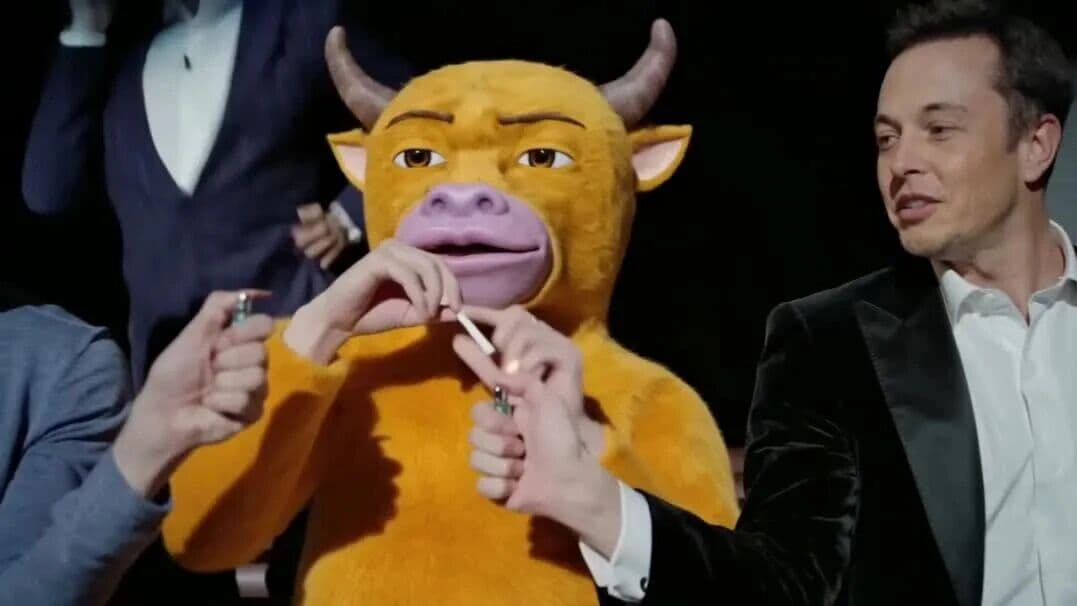
The bull takes the bench and every original move stays. Ridiculous, and it worked.
How much does Kling 4.0 cost?
Quality is half the buying decision. The other half is what a usable clip actually costs, including the clips you throw away. Kling 4.0's rates on launch night looked like this:
Scroll horizontally to see all prices.
| Mode | Resolution | Length | Credits | Est. price (member) |
|---|---|---|---|---|
| Kling 4.0 | 1080p | 30 s | 450 | ≈ ¥16 per clip |
| Kling 4.0 | 720p | 30 s | n/a | ≈ ¥9 per clip |
| Kling 4.0 Flash | 720p | 20 s | 120 | draft tier |
The practical workflow: run your drafts and tests on 4.0 Flash at 120 credits a pop, then take the winning prompt to the full model for the final render. Still to come is the 10-bit 4K HDR output tier, the highest output spec any AI video model has advertised so far. It was announced with the launch but was not live yet.
Try China's open-source LLMs. Visit https://deepseekv4pro.com/pricing
Is Kling 4.0 worth using?
Kling 4.0 is a solid, workmanlike upgrade rather than a flashy reinvention. Large-scale motion holds together, fight sequences connect cause to effect, and the reference system gives you a way to steer instead of reroll. Pricing stays competitive, and Flash gives you a cheap place to rehearse. More strong video models crowding the field is good news for the people actually making things with them.
Frequently asked questions
When did Kling 4.0 launch?
Kling 4.0 went live in the early hours of October 16, 2026 (Beijing time). It followed a September 28 early-access window in which Kling 4.0 Flash opened for Ultra annual subscribers and Black Gold annual card holders.
Can Kling 4.0 really generate a 30-second single take?
Yes. Native 30-second generation with up to 10 keyframes of control is the headline feature. Launch-night tests include a chase longer than 20 seconds and a full 30-second circus scene, each generated as one continuous shot.
How much does a Kling 4.0 video cost?
450 credits for a 1080p, 30-second clip, roughly ¥16 at member pricing; 720p comes in near ¥9. Kling 4.0 Flash generates a 720p, 20-second draft for 120 credits.
What is the difference between Kling 4.0 and Kling 4.0 Flash?
Flash is the cheap, fast draft model, available since September 28, suited for exploring ideas and testing prompts. Kling 4.0 is the full-quality model for final renders. A common workflow is drafting on Flash and finishing on 4.0.
Does Kling 4.0 support 4K output?
Not yet. Up to 4K resolution with 10-bit HDR was announced with the launch and is the highest output spec advertised by any AI video model so far, but the tier was not live at launch.
Sources
- Digital Life Kazk, "Just Now: Kling 4.0 Launched Late at Night With 30-Second One-Take Video. The Kling We Know Is Back." WeChat, October 16, 2026. Source of the hands-on test results, prompts, the Kling AI launch announcement quoted above, and all test imagery used in this article. Read the report republished under Digital Life Kazk's byline on Phoenix Tech.
Tracking DeepSeek too? DeepSeek V4 Pro is an independent DeepSeek information hub: news, guides, and benchmarks, plus inventory-backed DeepSeek Coding Plans with one-off and recurring purchase options, while stock lasts. Browse the latest news, compare models in our benchmarks, or check current availability on pricing.