DeepSeek Bot vs ChatGPT Dots: Local Agent Teams or a Hosted AI Agent?
TL;DRDeepSeek Bot is an open-source plugin for DeepSeek Harness (DSH). You install it, point each bot at a model you have already configured, and give the team roles and memory. The bot files stay on your machine. ChatGPT Dots is OpenAI's hosted agent feature, introduced on September 29, 2026. A Dot gets its own cloud computer, connects to ChatGPT apps, and can pick up Codex work or edit Work automations. It is limited to Personal Pro, Business Premium, and Enterprise plans, not Free, Go, or Plus. In practice, DeepSeek Bot is a toolkit you assemble and own. Dots is a managed agent you configure inside ChatGPT.
By Cameron Voss
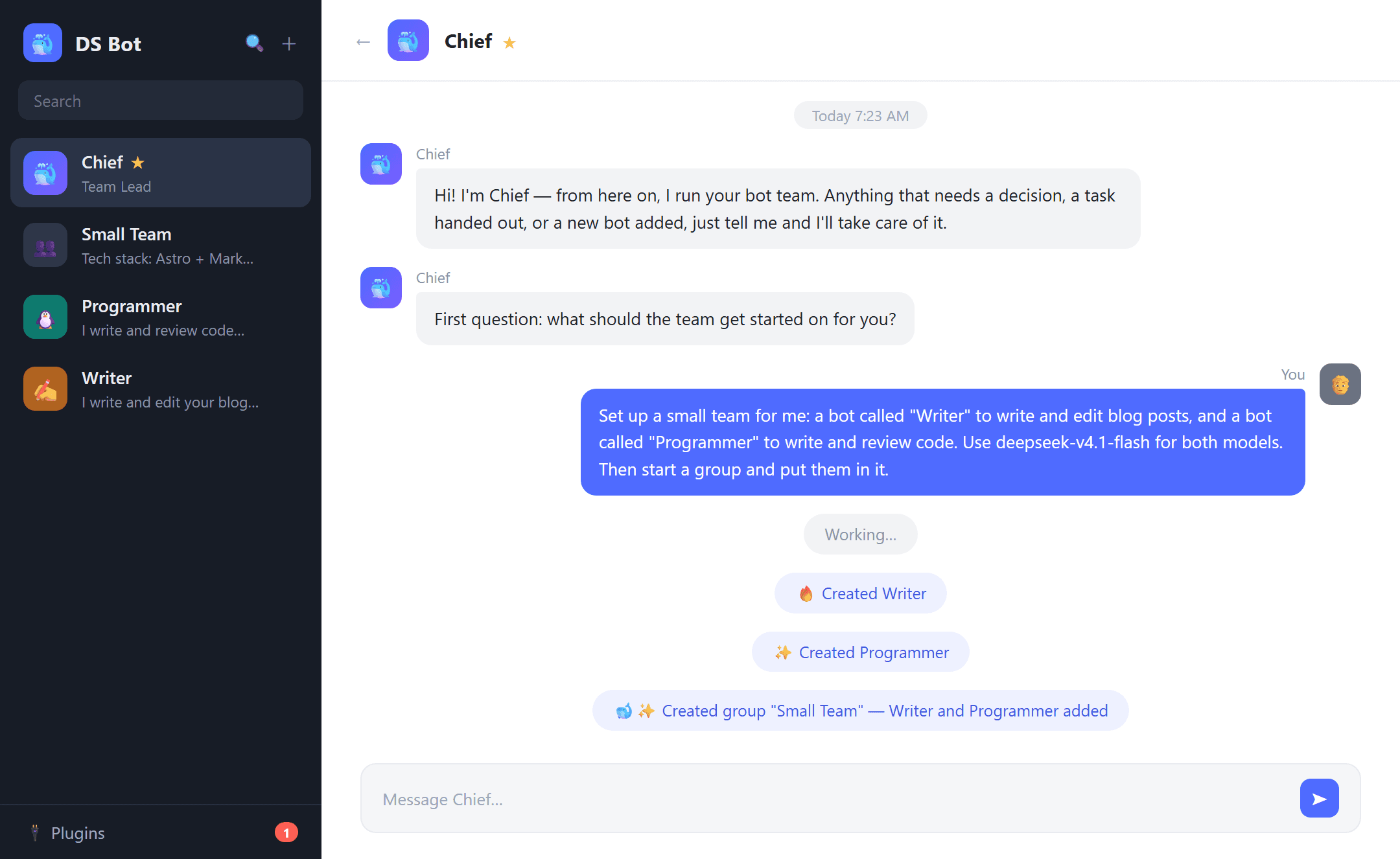
What is DeepSeek Bot?
A developer going by FeiZ open-sourced DeepSeek Bot in October 2026. It is a plugin, not a standalone app. You install ds-bot in DSH, assign a model to the supervisor bot Chief, and describe the team you want. Chief creates the other bots, sets their roles, and can put them in a group chat. Each bot gets a name, a role, its own model, and its own memory.
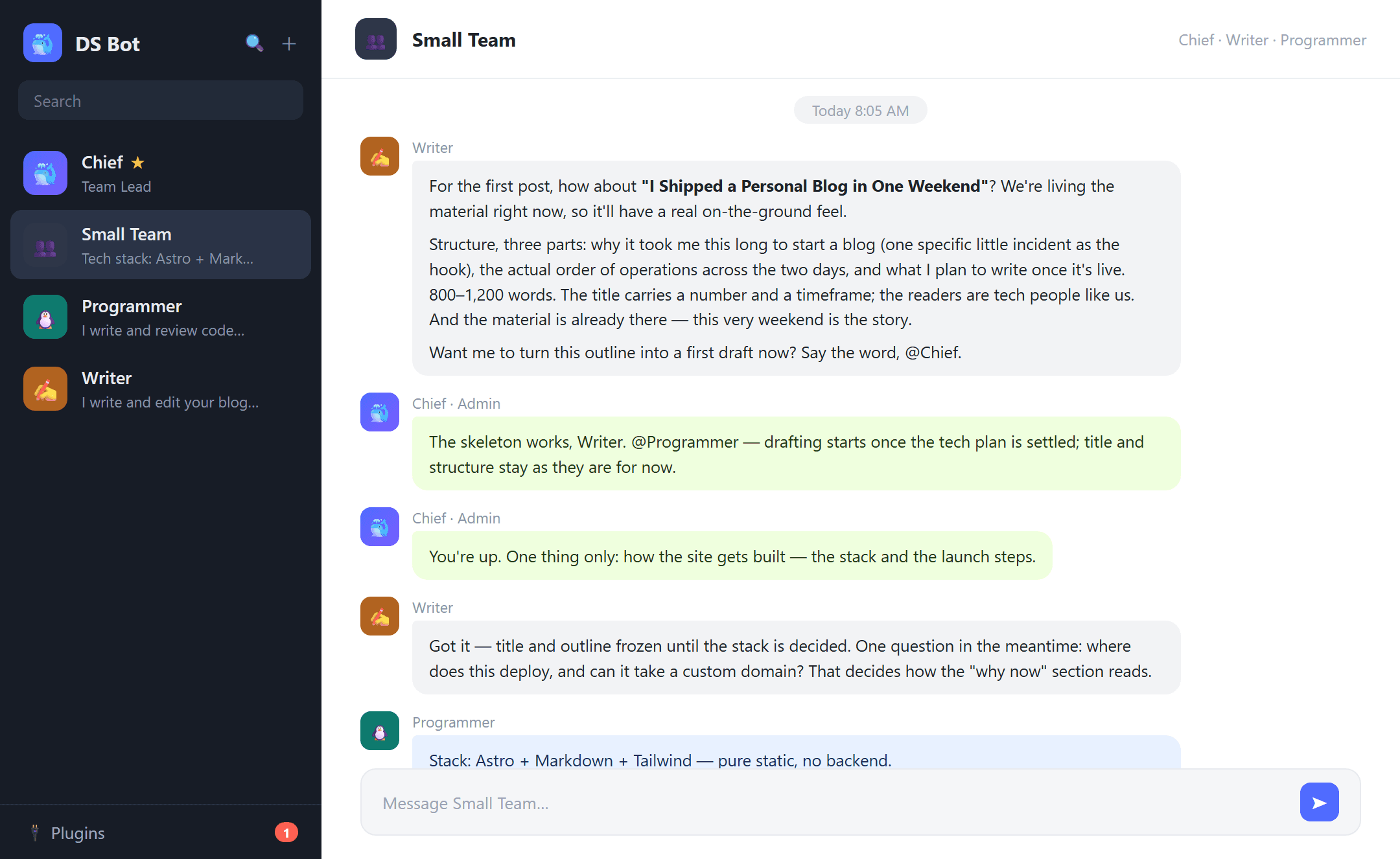
The team layer is where this design differs from a single assistant. A group admin answers first and pulls in another bot when the task needs one. You can also @mention a member to route work directly. Sending every message to every bot would burn tokens, so the admin-first routing is a deliberate cost control.
Memory has two levels: one store per bot and one shared by the team. Both are plain Markdown files. Memory review is on by default, so after a turn the model decides what is worth keeping. When a conversation approaches the context window, the plugin can summarize, compress, or write a handoff note into a fresh session. Team settings, chat logs, and memory sit under ~/.dsh, and uninstalling the plugin leaves that data in place.
What are ChatGPT Dots?
OpenAI introduced Dots on September 29, 2026. A Dot is a persistent agent with its own cloud computer, not a chat thread. It keeps working toward a goal between conversations. You can create one in the ChatGPT desktop app or in a desktop browser. Since October 9, the iOS and Android apps can create Dots too; mobile web still cannot.
Dots connect to ChatGPT apps, can start or continue Codex tasks, and can read and edit Work automations. Local Codex work needs the target computer connected, online, and authorized. Cloud Codex work can continue while your own device is off. Each Dot keeps its own notes, separate from ChatGPT saved memory. Deleting a Dot does not delete the files it created, its Codex threads, or its ChatGPT conversations.
Access is gated. The current list covers Personal Pro, Business Premium in a rolling rollout, and Enterprise in a rolling rollout that is off by default. Free, Go, and Plus are not included. Users must be 18 or older. The EEA, the UK, and Switzerland are outside the initial availability.
Where does each agent run?
DeepSeek Bot runs wherever DSH runs: your desktop, or a browser session on your own machine. The models are the ones you configured, so a writing bot and a coding bot can use different ones. Inference happens at the provider you point to, and the local folders hold the memory and logs.
Dots run on OpenAI's infrastructure. The cloud computer belongs to the Dot, which is what lets scheduled or long-running work continue while your laptop is closed. The trade is control. You choose from OpenAI's models and the app connectors ChatGPT exposes, not from a model roster you assembled yourself.
| Dimension | DeepSeek Bot | ChatGPT Dots |
|---|---|---|
| Form | Open-source plugin for DSH | Hosted feature inside ChatGPT |
| Runtime | Your machine, through DSH desktop or web | OpenAI cloud computer assigned to the Dot |
| Model choice | Any model configured in Harness, mixed per bot | OpenAI models available inside ChatGPT |
| Team model | Named bots, a supervisor, shared group chats | One persistent agent per responsibility |
| Memory | Per-bot and shared Markdown files, stored locally | Dot notes, separate from ChatGPT memory, stored by OpenAI |
| Tool access | DSH built-in tools plus plugins you add | ChatGPT apps and connectors, Codex, Work automations |
| Billing | Provider token bill; the usage view counts tokens, not currency | ChatGPT plan limits; Dot chats are not counted, delegated Work and Codex tasks are |
| Setup | Install the plugin, configure model keys, create bots | Create in ChatGPT, connect apps, set rules |
How do they reach tools and the web?
DeepSeek Bot does not ship its own browser. Tool access comes from Harness: built-in tools, plus any plugin you add. If a task needs web search or page fetching, that capability has to exist in the Harness toolset. The model then decides when to call it. The loop stays on your side, and the tool list is something you can inspect and change.
Dots use interfaces ChatGPT already has. Connectors give a Dot access to apps you authorize. Codex provides coding environments. Work automations provide schedules and event triggers. OpenAI describes background research as read-only. Actions that affect accounts or shared information go through automatic review and custom rules. Rules can narrow what a Dot sends or when it acts, but they cannot grant permissions that a connected app does not already have.
How do teams and memory compare?
DeepSeek Bot is built around a team. Chief supervises, group admins route messages, and bots share one memory store while keeping their own. Because the files are Markdown, you can read, edit, or delete them without opening a settings screen.
Dots are built around a single persistent responsibility. You can run several Dots, and a Dot can coordinate work, but the unit is one agent with its own notes and goal, not a named group chat. That is easier to reason about and harder to inspect at the file level. If a Dot's notes need correcting, you work through the Dot and ChatGPT's controls.
What does each cost?
DeepSeek Bot has no separate subscription. You pay the model providers whose keys you configured. The plugin's Usage page counts tokens by time, bot, and model. It does not convert them to currency, so the bill depends on each provider's rates.
Dots sit inside a ChatGPT plan. OpenAI says conversations with a Dot do not count toward ChatGPT usage limits, while Work and Codex tasks that a Dot starts or manages do. Heavy delegation therefore draws on the same allowance as other Work and Codex use.
Which setup fits which workflow?
DeepSeek Bot fits developers who already use DSH, want agent files on their own machine, and want to mix models by role. It also suits teams that need to audit memory as plain files or run against keys they already hold. The cost is setup and upkeep: install the plugin, keep model configs current, and manage the local data.
Dots fit people who already pay for an eligible ChatGPT plan and want an agent that does not need a local runtime. The app connectors and Codex handoff are the draw. The cloud computer is what makes scheduled or long-running work possible. The limits are plan access and OpenAI's model roster. You also get less direct control over where the data lives.
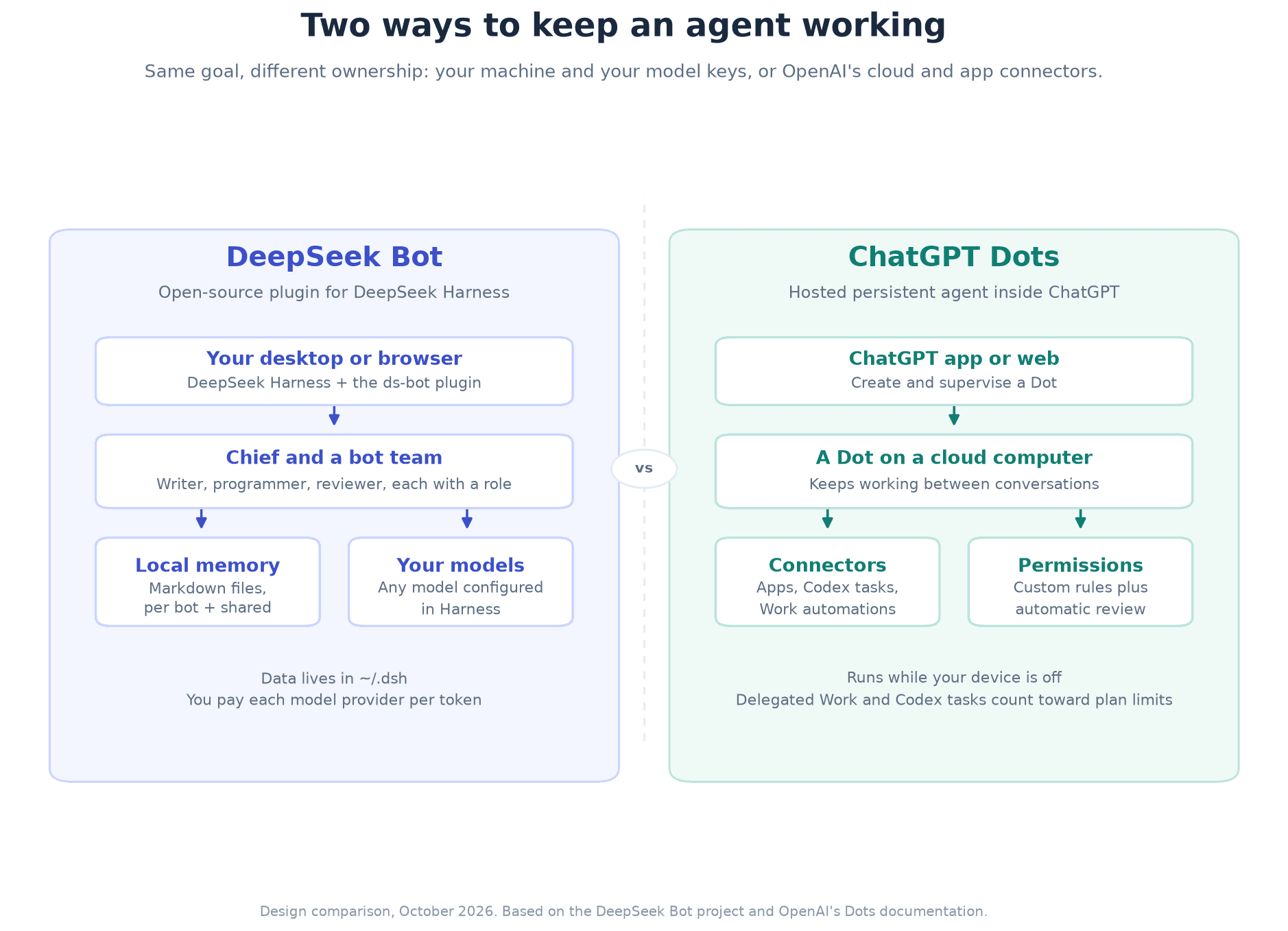
The same idea, two ownership models. DeepSeek Bot treats the agent team as local software you install and inspect. Dots treat the agent as a hosted service tied to your ChatGPT plan. You can run either setup without the other. The choice mostly comes down to whether you want to maintain the runtime or pay someone else to host it.
If you are assembling a Harness setup and need keys for the DeepSeek models behind it, our inventory-backed Coding Plans are listed at https://deepseekv4pro.com/pricing. Availability follows stock.