Kimi K3.1 Pro vs GPT-6 Astra: Four Blender Render Tests and a Quota Limit
TL;DRIn four Blender tasks shown by Xiyangshi AI Video, Kimi K3.1 Pro and GPT-6 Astra produced comparable-looking renders from the same prompts, with different details and repairs. The creator reported hitting a five-hour Kimi usage limit during the session. These are illustrative third-party demonstrations, not an independently reproduced benchmark or a general ranking. Separately, Artificial Analysis scored Kimi K3.1 Pro 55 in its October 23, 2026 launch snapshot.
By Cameron Voss
The scoreboard, and what it leaves out
In its October 23, 2026 launch snapshot, Artificial Analysis scored Kimi K3.1 Pro 55 on its Intelligence Index and ranked it fourth overall; Kimi K3 scored 44. This historical composite covers a different set of tasks from the Blender demonstrations below, so it cannot determine which model produces better renders.
A composite score does not tell you how many attempts a shot needs or whether a paid tier lasts a working day. The following examples summarize a third-party demonstration, not a test conducted by this site.
| Task | Kimi K3.1 Pro | GPT-6 Astra |
|---|---|---|
| Pelican on a bicycle, 4-second loop | Heavier body, stronger neck curve; one modeling error and one art pass | Leaner body, wider flight feathers, an unrequested rear rack; eye-scale bug fixed |
| Foldable phone, hinge shot | Bottom of the phone cropped, background seam on pass one | Wrong API call, gray materials and hot highlights on pass one |
| Roadster jump, 6-second excerpt | Broken geometry on the nose, fixed over two rounds | Glass looked like wrinkled plastic, fixed over two rounds |
| Robot short, 8 seconds | Rounder character, foreground reel adds depth | Extra gauges and vents, stronger light beam |
Test 1: a pelican on a bicycle
The prompt was the same for both models: an adult pelican riding a teal touring bike along a coastline, built in Blender as a 4-second loop, with detailed feathers, a visible throat pouch, a metal frame, and both feet tracking the pedals. The pelican had already become a 3D exercise on X, with Addy Osmani building a city ride in Three.js and Simon Willison staging one in Blender.


Seen side by side, Kimi's bird is heavier and the neck curve is more pronounced. Astra's bird is leaner, spreads its black flight feathers wider, and adds a rear rack the prompt never mentioned. Both models got the pedaling motion across, so the gap is in silhouette and surface detail rather than in whether the task was understood.
The first attempts were worse. Astra scaled an eye until it became a black sphere that covered the head. Kimi hit a modeling error, then a second error while filling in the environment.
One repair round and one art pass each produced the clips above. Feathers and legs still look procedural, though less so than in the earlier K3 output.
Test 2: a foldable phone product shot
Both models received the same Apple reference photo and the same instruction: rebuild the phone in Blender, light it, animate the hinge, and add a slight camera turn.
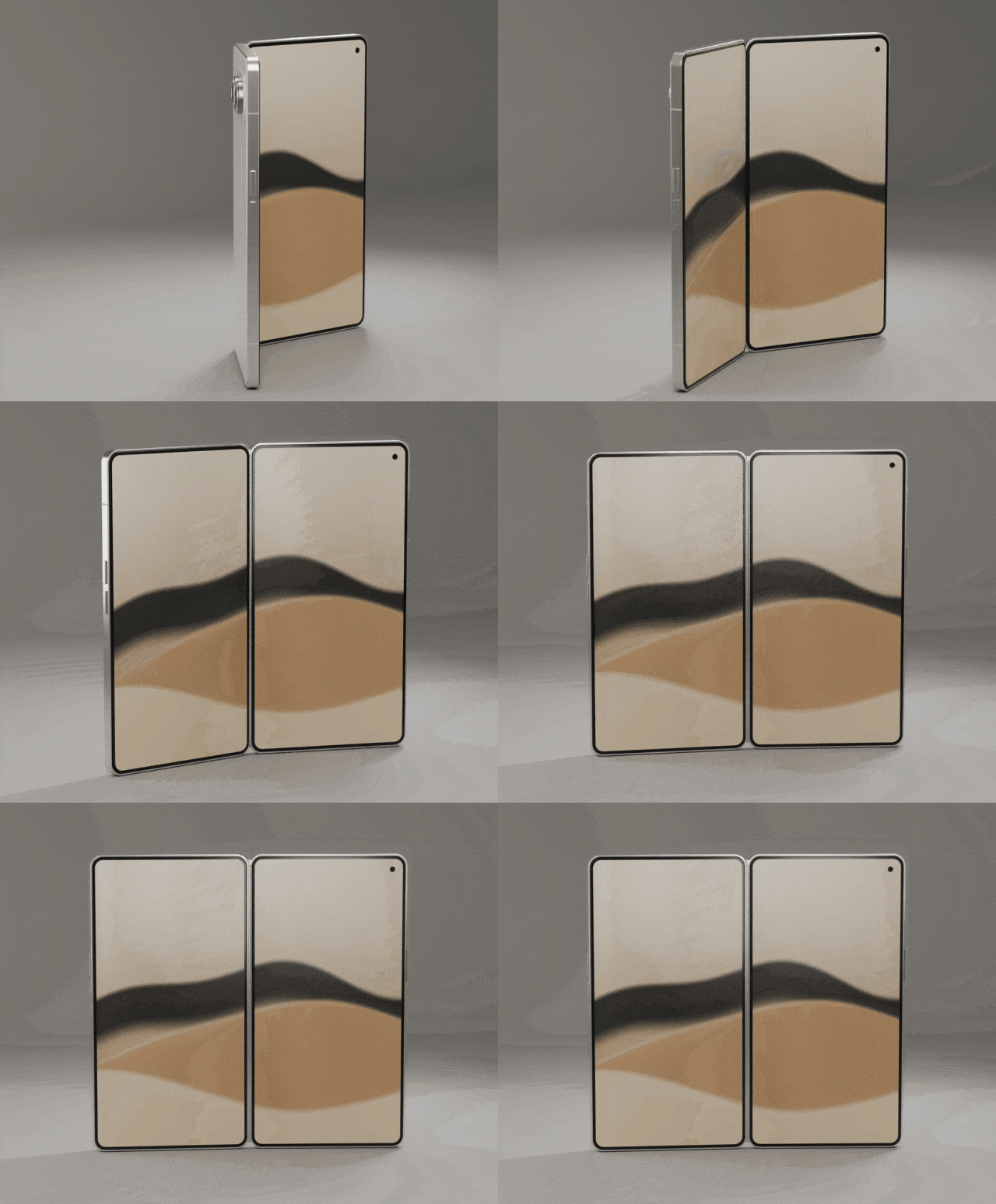
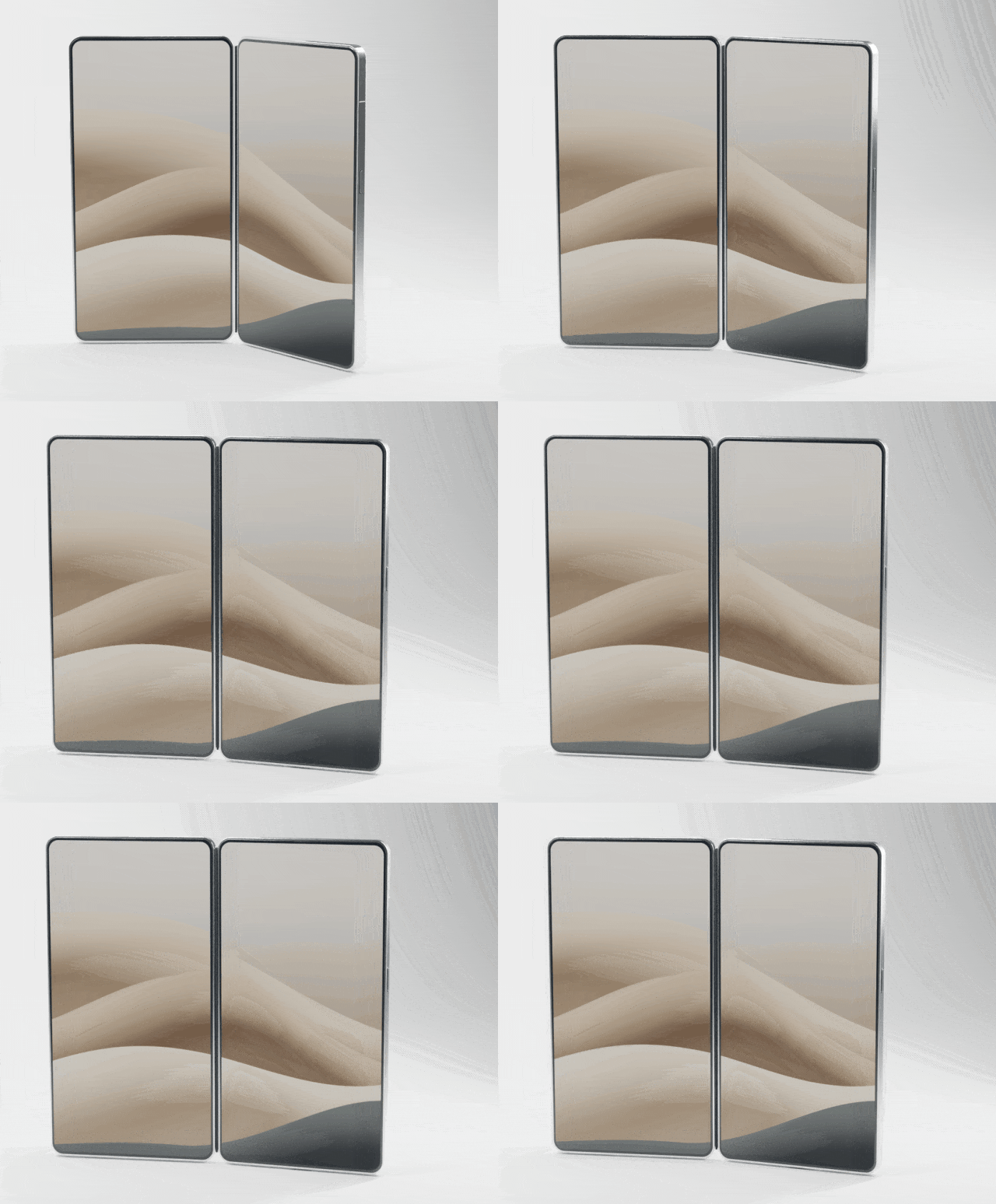
Kimi's first version cropped the bottom of the phone and left a visible seam in the background. Astra called the wrong Blender API, fixed that, then had to correct gray materials and highlights that were too hot.
The result works for a previz pass or a pitch deck. It does not work for ecommerce. Neither build used CAD or measured dimensions, and the lens module and hinge were simplified. A camera move exposes that quickly.
Test 3: a Roadster jump
The brief: a white sports car climbs a ramp, rolls in the air, and lands, all inside one moving shot.
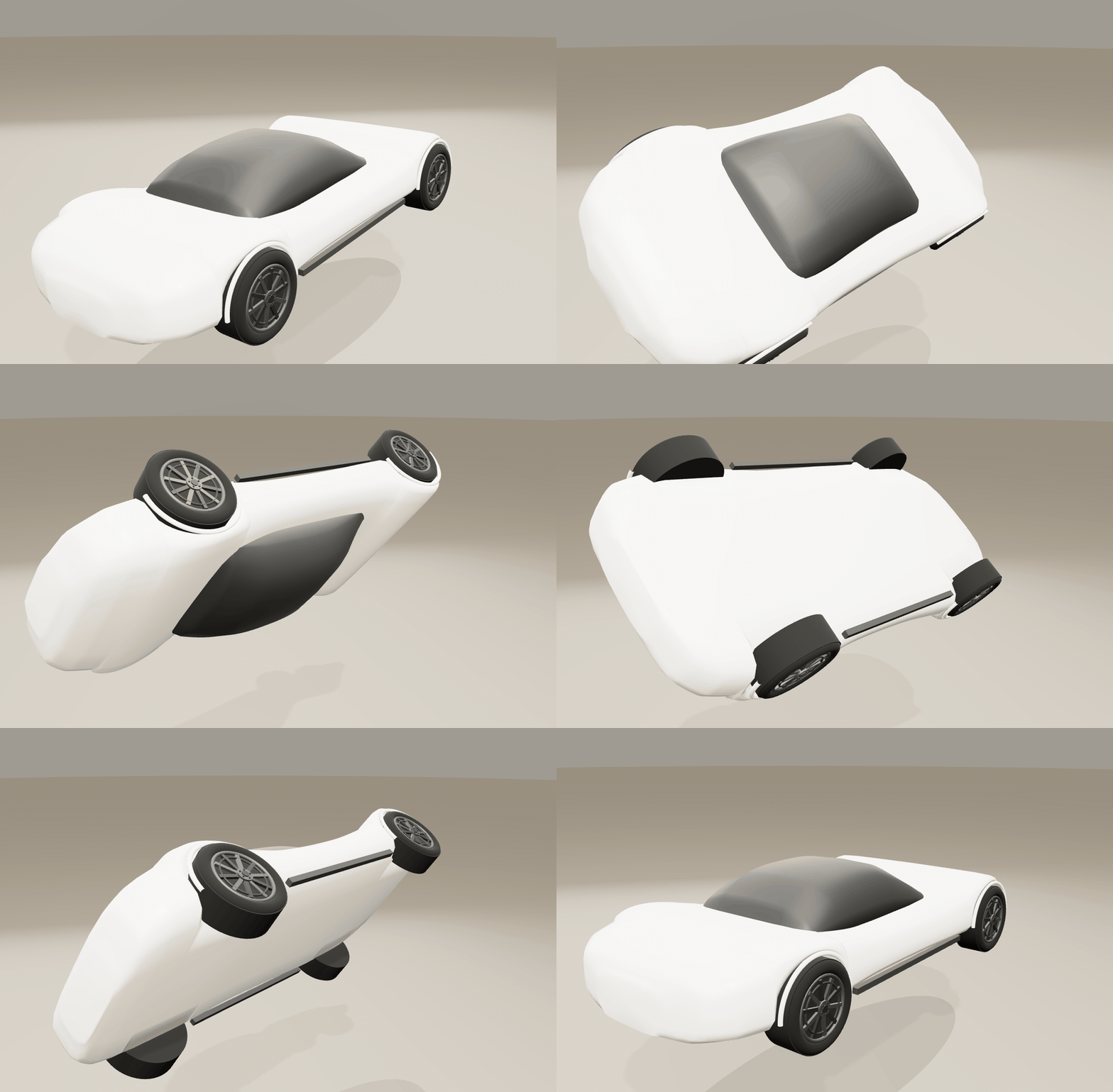
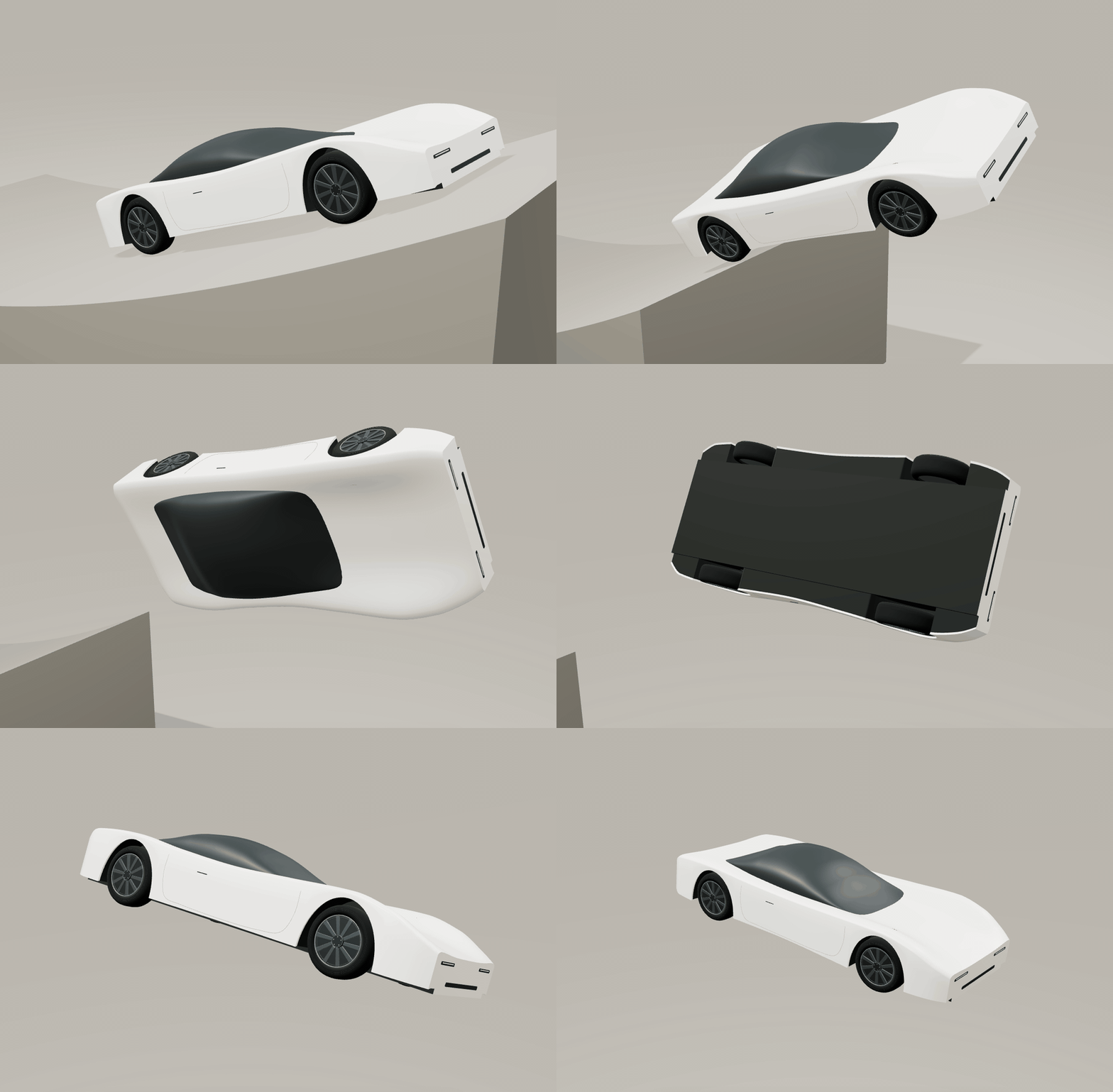
Kimi's first render had broken geometry across the nose. Astra's glass reflected light like crumpled plastic. Two rounds each fixed most of the surface problems. The body stayed simplified, and a low camera angle pushed the car out of frame.
This is where the limits are easiest to see. A hero shot with a real car needs accurate proportions, convincing surfacing, and a camera move that holds across dozens of frames. Neither model got there.
Test 4: an eight-second robot short
The scene: an old projection room. A robot built from film reels sets down a canister, lifts its head, and its lens lights up. Eight seconds, one action, no cuts.
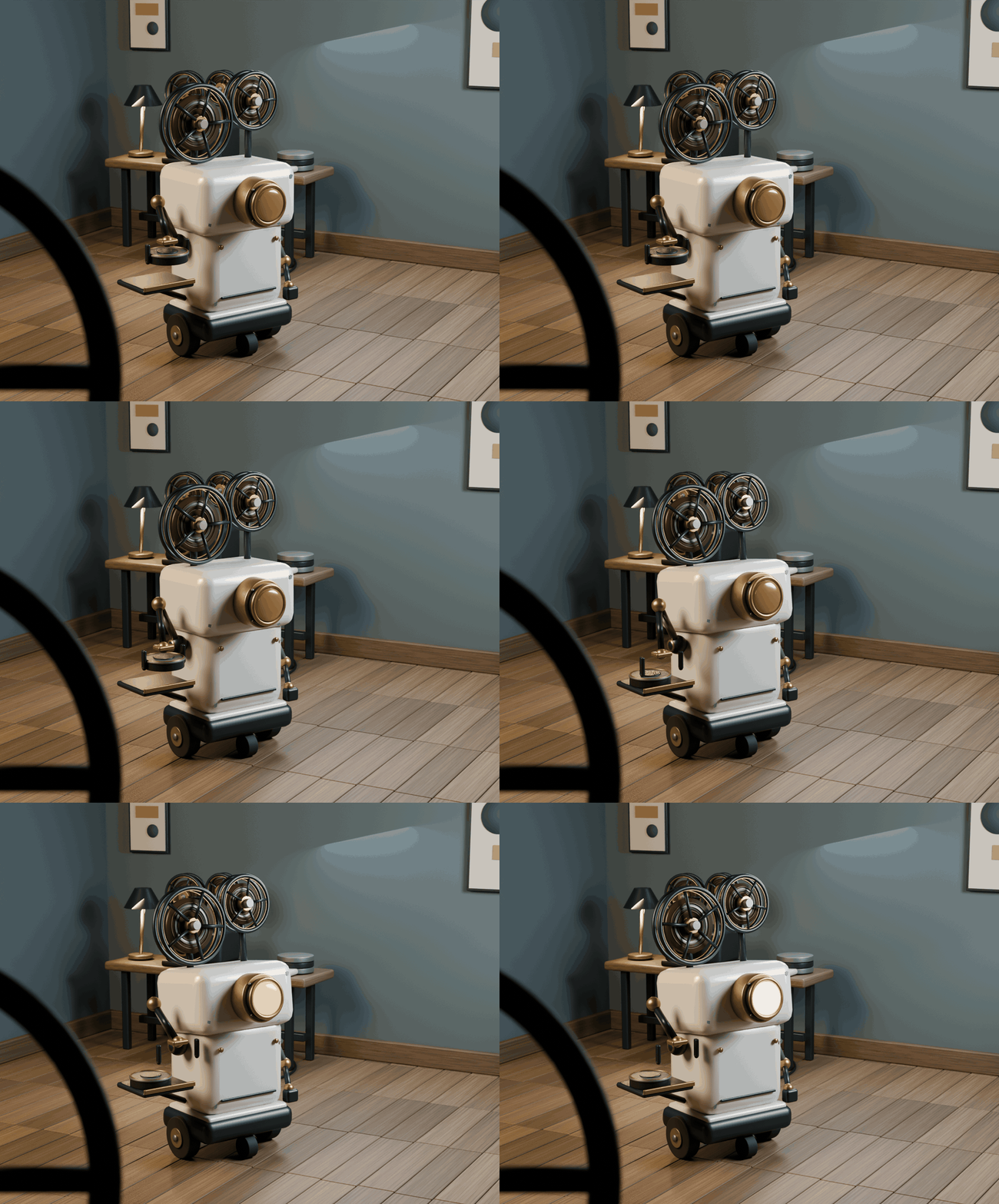
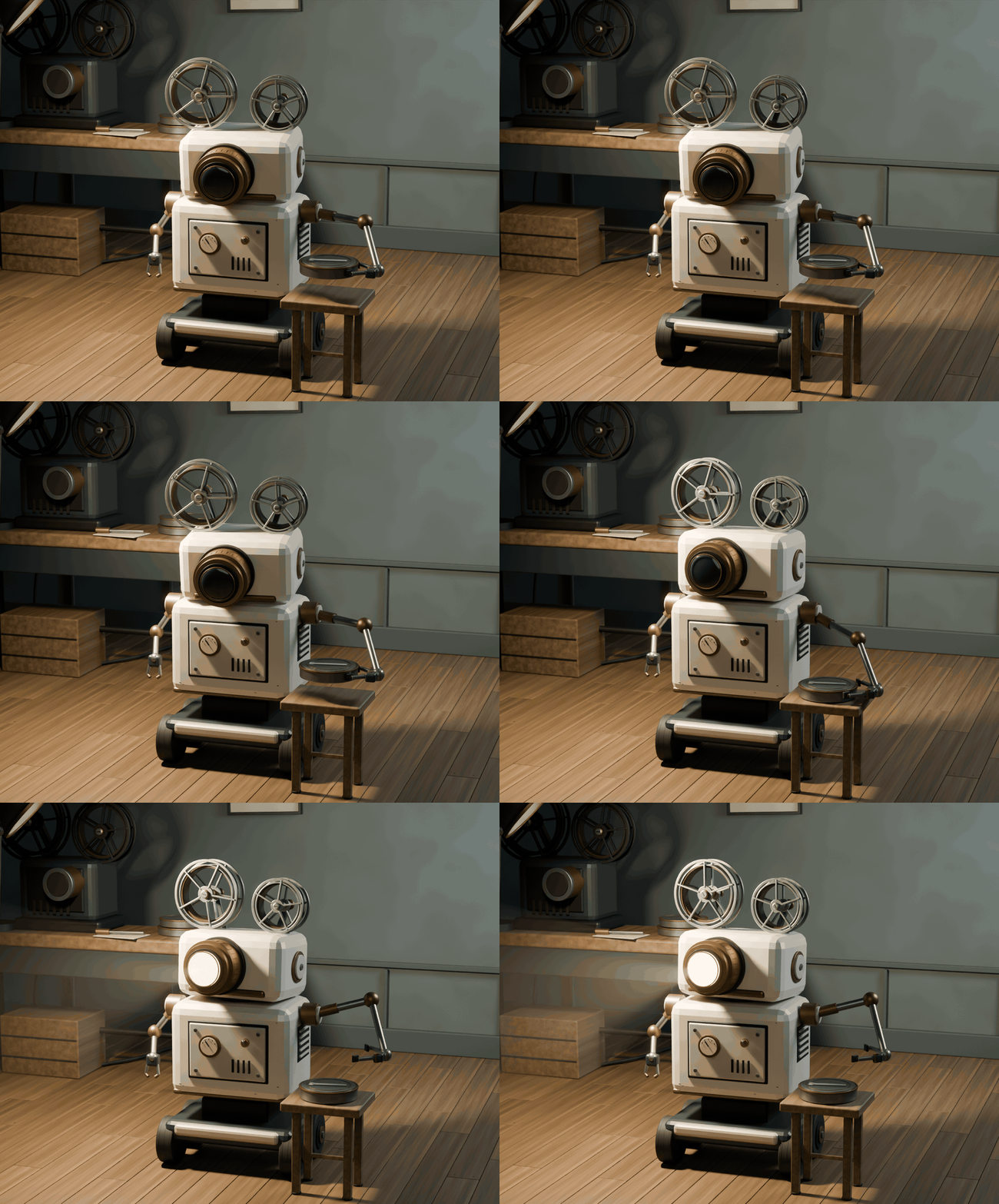
Kimi's robot is rounder, and a reel in the foreground gives the room depth. Astra added gauges and vents that were not in the brief, and its beam reads more clearly on screen.
Both robots came from scripts the models wrote. Neither imported an official model. The action is simple, but a moving clip tells you more about a character than a concept still does.
The reported quota interrupted the run
The creator reported using a 199 CNY Kimi membership and hitting its five-hour usage limit partway through the session. The remaining cases waited for a reset. Limits and plan terms may differ by account and date.
Membership prices and usage limits can change. Check the current terms for your own account before budgeting a 3D workflow.
Allow time for revisions: the examples show that a first render may need both technical fixes and an art pass.
Kimi Subscription
Compare official Kimi membership, API access, and other options in our Kimi Subscription guide, including setup considerations and usage limits.
How the renders were produced
The models wrote Python that built scenes in Blender. Blender or a browser ran the scripts and rendered the frames. Codex organized the calls and checked the output. Kimi ran through the Kimi Code interface, and Astra ran as an independent control.
This is not text-to-video. Every frame came from generated code and a render, which is why the failures look like Blender errors rather than prompt drift.
The Blender project files were not published with the test, so the renders could not be rerun independently.
Which model to pick this week
If the job is a concept frame or a scene layout, Kimi K3.1 Pro is competitive and the choice comes down to taste. If the job is a final product shot, neither model replaces a 3D artist, and the repair loop is most of the work.
Usage limits can matter as much as render quality when choosing a workflow. Check the limits on the plan you actually use.